Authorized photo-stamp cleanup

Remove Stamps From Your Photos With AI

Clean a date, timestamp, GPS label, filter name or another nonessential overlay from a photo you own. PxBee combines automatic detection with a manual brush for more control.

See How It Works
  • ✓ Online tool
  • ✓ No signup to start
  • ✓ JPG, JPEG, PNG or WebP

Only upload images you own or have permission to edit.
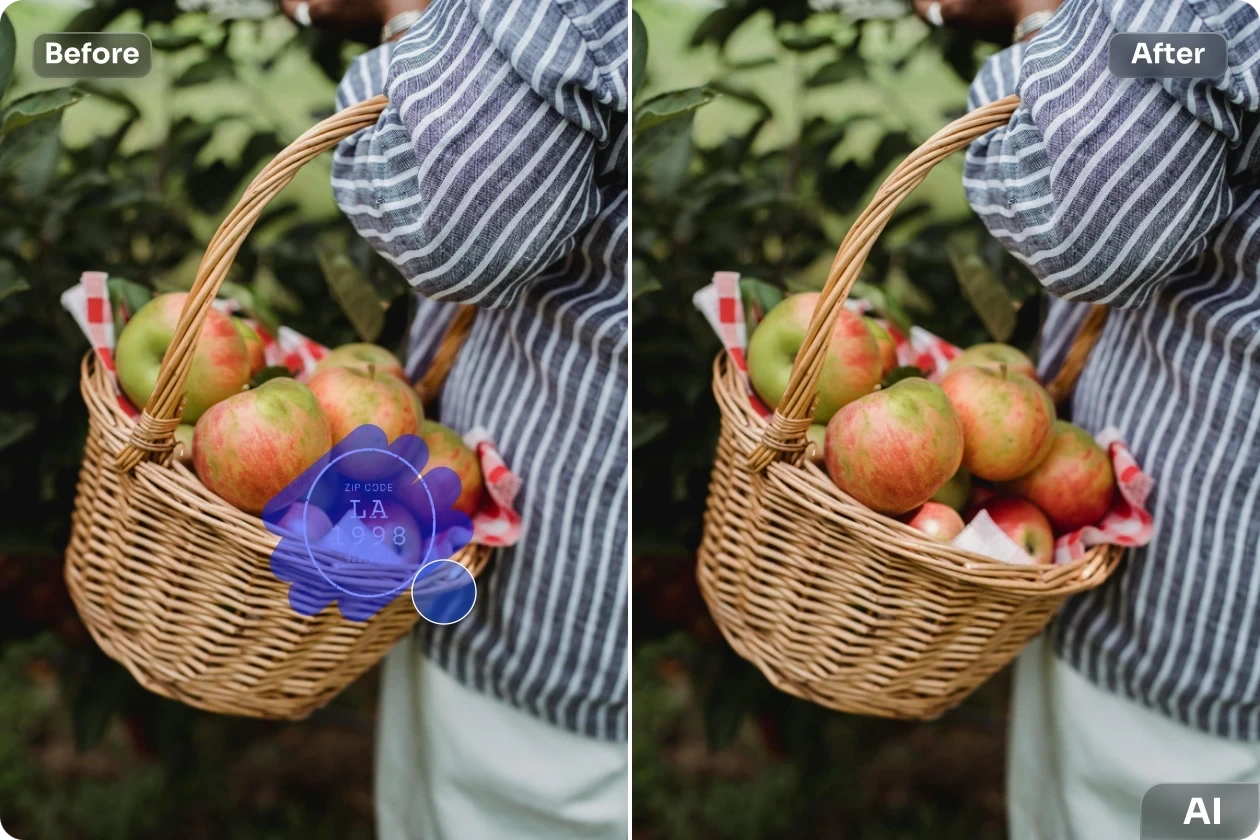
Authorized basket photo before and after removing a self-added date stamp
Selected photo stampReviewed reconstruction

Drag Your Photo Here

or choose an authorized image from your device

Choose ImageJPG, JPEG, PNG or WebP · Maximum 20 MB

Choose a photo and confirm your rights to continue.

Do not alter official, legal, financial, medical, ownership or authenticity records. Read the Privacy Policy.

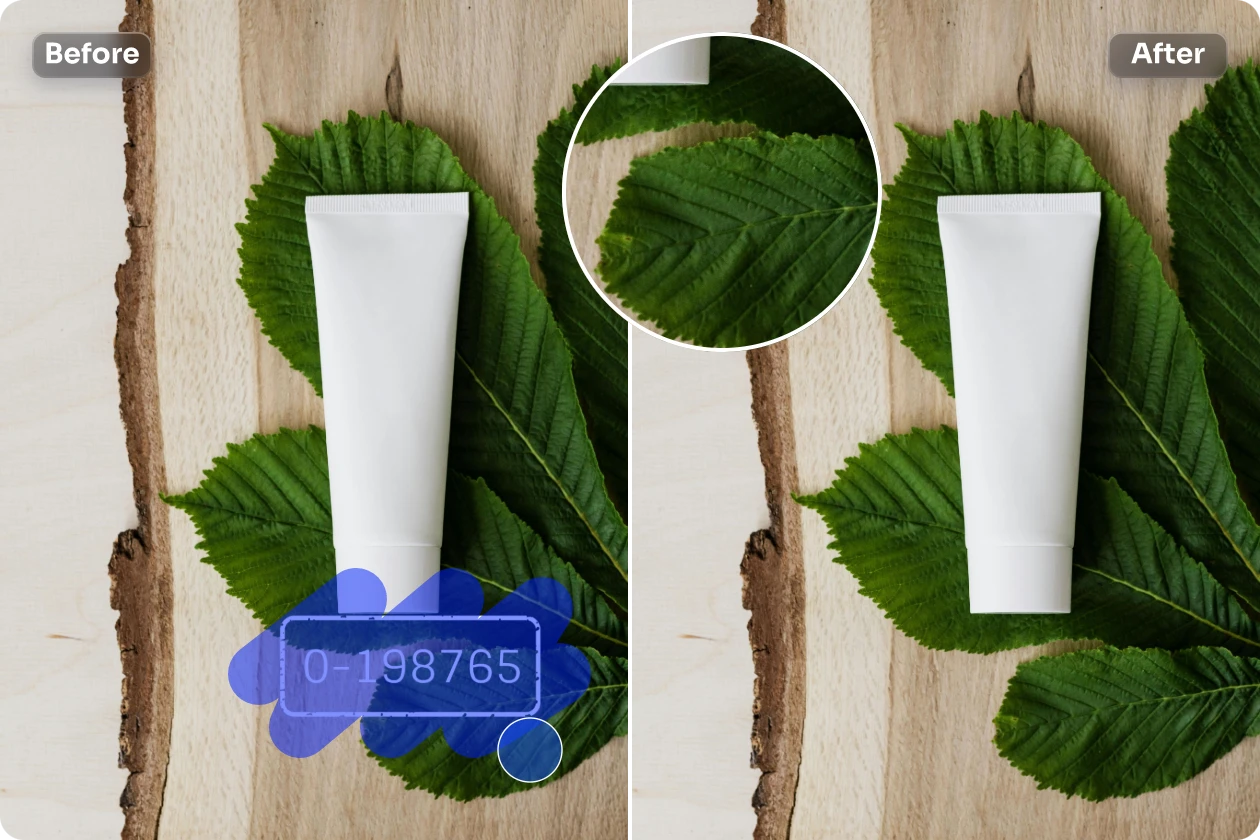
Product photo before and after authorized serial stamp cleanup
Use a precise brush around textured or important areas.
No complicated cloning or masking

Clean Personal Photos Without Complicated Editing

Older cameras, photo apps and filters can add dates, locations, names or decorative labels. These overlays become harder to remove when they cross textures, shadows, people or objects.

PxBee selects the stamp and uses AI inpainting to generate a replacement from nearby visual details.
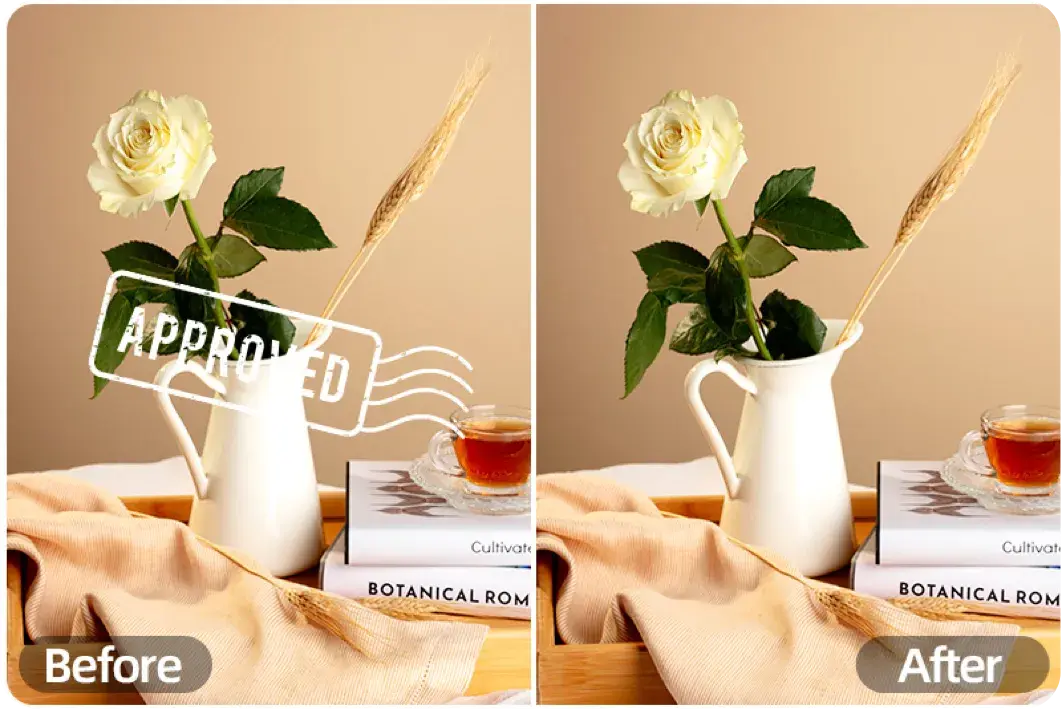
The tool does not recover original hidden pixels. It creates an estimated reconstruction that must be inspected before use.
Self-added approved stamp removed from an authorized still-life photo
AI estimates what could fit behind the selected overlay.
Personal and company-owned photos

Photo Stamps You Can Clean Up

Camera date stamps

Remove a date added by your own camera from a travel photo, family picture or personal archive.

Time overlays

Clean an unnecessary time display from a photo you created or have permission to edit.

Visible GPS labels

Remove a location name or coordinate printed directly on an authorized image. Visible removal does not delete embedded metadata.

Filter names

Remove the visible name of a filter or effect from your personal image.

Self-added brand stamps

Update an image owned by your company by cleaning an outdated stamp or campaign mark.

Protect authenticity and ownership

Do Not Remove Official or Ownership Marks

Photo Stamp Remover is for ordinary authorized cleanup. A visible mark may communicate ownership, licensing, approval or authenticity; removing it does not grant permission to use the image.

For third-party work, request the authorized clean version from the owner. Review the U.S. Copyright Office permission guidance.

Never alter:

  • Government IDs
  • Passports or licenses
  • Certificates or contracts
  • Receipts or financial records
  • Medical records
  • Notary stamps or official seals
  • Signatures
  • Evidence timestamps
  • Copyright notices
  • Stock-preview marks
  • Authenticity labels
  • Approval labels
Choose based on the stamp

Automatic or Manual Stamp Removal

Automatic detection suits clear, high-contrast marks. Use the adjustable brush for transparent, angled, decorative or sensitive areas.

Photo conditionRecommended method
Small date on a plain cornerAutomatic detection
Transparent filter labelManual brush
Stamp over two texturesBrush and process in sections
Overlay near a faceSmall manual selection
Repeated ownership marksObtain the authorized original
Stamp over detailed textExpect limited reconstruction accuracy
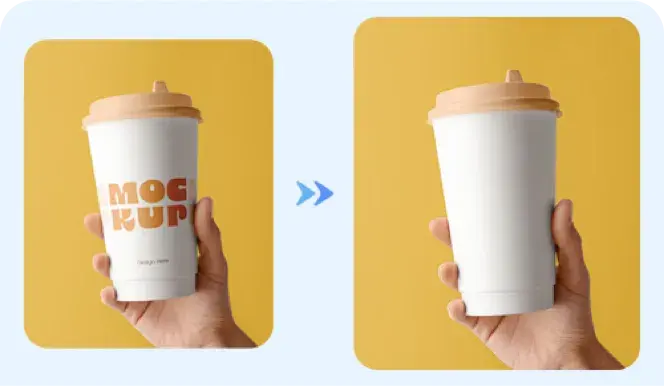
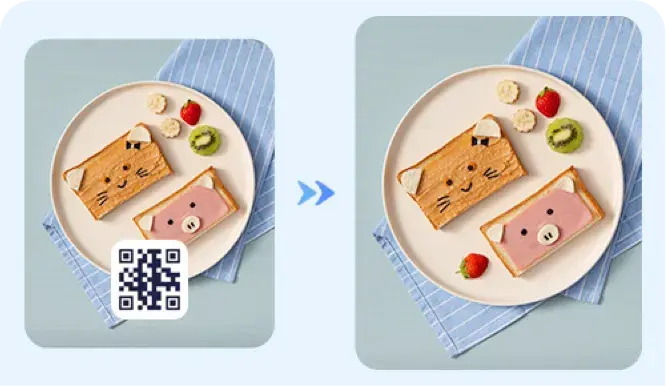
Self-added cup stamp before and after authorized removalSelf-added QR stamp before and after authorized cleanup
Six authorization-first steps

How to Remove a Date or Stamp From a Photo

  1. 01

    Confirm your rights

    Make sure you own the photo or have permission to modify it.

  2. 02

    Upload your image

    Choose a JPG, JPEG, PNG or WebP file.

  3. 03

    Mark the stamp

    Use automatic detection or paint over the complete visible stamp with the brush.

  4. 04

    Select Remove

    PxBee analyzes the surrounding image and generates replacement pixels.

  5. 05

    Review the edit

    Check repeated patterns, broken lines, unnatural texture and changes to important details.

  6. 06

    Download the photo

    Save the result when it looks suitable and the edit is authorized.

Owned travel photo with self-added date and location stamp
Authorized original with visible stamp
Owned travel photo after date and GPS label removal
Reviewed reconstruction
Focused controls in your browser

Why Use PxBee’s Photo Stamp Remover?

Automatic and manual control

Use fast detection for simple overlays or the brush for greater precision.

No advanced editing skills

Avoid complicated cloning, masking, layers and selections.

Browser-based workflow

Process an image from a modern desktop or mobile browser.

Common formats

Upload JPG, JPEG, PNG or WebP images.

AI-assisted reconstruction

Fill the selected region based on nearby texture, color, lighting and edges.

Connected editing tools

Continue with AI Replace or AI Photo Enhancer after the authorized cleanup.

Precise selections, careful inspection

Tips for a More Natural Result

Use the best available original and minimize the area that AI must invent.
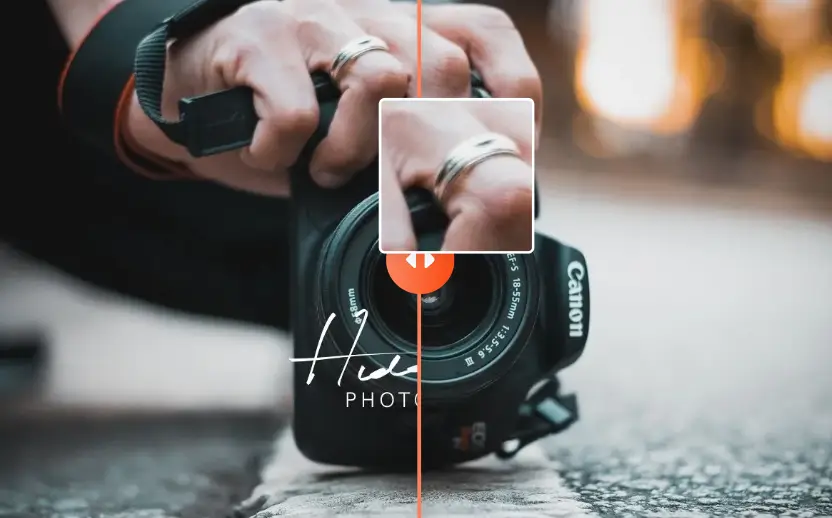
Authorized decorative photo stamp before and after AI cleanup
1

Upload the original photo

Avoid thumbnails, screenshots and highly compressed copies when a better source is available.

2

Include transparent edges

Select the full outline, glow, shadow and faded parts of the stamp.

3

Avoid brushing too widely

Covering unnecessary parts forces the AI to generate more content.

4

Inspect important details

Review faces, hands, product labels, text, patterns, reflections and straight lines.

5

Try a smaller second pass

If a fragment remains, process that area instead of repeating the entire edit.

6

Preserve the unedited version

Keep the source for comparison, records and future editing.

Rights, metadata and results

Photo Stamp Remover FAQs

It is a focused image-cleanup tool for authorized date, time, GPS, filter and self-added photo stamps. It combines detection, brush selection and AI reconstruction.

Confirm your rights, upload the image, detect or brush over the complete date, apply removal, inspect the reconstruction and save the authorized result.

You can attempt to clean camera dates, timestamps, visible GPS labels, filter names and self-added brand stamps from images you may edit.

No. Only process photos you own, have permission to edit or otherwise have a valid legal right to modify.

No. Do not use this tool on IDs, passports, licenses, certificates, contracts, receipts, records, official seals, notary stamps or authenticity labels.

Not to bypass attribution, payment or licensing. Request the authorized clean image from the copyright owner or provider.

No. A visible label and embedded EXIF metadata are different. Review and remove metadata separately before sharing when privacy matters.

It looks for likely overlay regions and works best when a small stamp has clear edges and contrasts with a plain background.

Use it for transparent, angled or decorative stamps, overlays crossing several textures, or marks near an important subject.

No. It estimates replacement pixels from nearby texture, color, lighting and edges. The result is a reconstruction, not recovered original content.

The stamp may cover complex detail, your mask may be too wide, or the source may be compressed. Try a precise second pass or use the clean original.

It is risky because generated pixels can change identity details. Use a small selection and inspect closely; prefer the clean original.

Yes when authorized, but the focused Remove Text From Image tool may suit non-rights text better.

The uploader accepts JPG, JPEG, PNG and WebP images up to 20 MB.

PxBee currently presents the workflow as free. Check the live editor for current processing, credit or export limits.

This page lets you select a photo without signup. Any later account requirement is controlled by the live editor.

Only if you hold all necessary rights and the edit does not misrepresent important information. Review the license and PxBee terms.

Yes. Keep it for ownership records, comparison and future work, especially when the image has commercial or factual importance.

Do not present materially altered or AI-reconstructed imagery as unedited legal, medical, financial, documentary or forensic evidence.

Review the current Privacy Policy for processing, retention, deletion and security information before uploading personal or sensitive photos.
Authorized personal-photo cleanup

Clean Up Your Personal Photo

Select an authorized date, time, GPS or filter stamp and let PxBee reconstruct the surrounding area.

JPG, JPEG, PNG and WebP supported
Authorized photo stamp cleanup before and after comparison