Consent-first virtual outfit concepts

Change Clothes in a Photo With AI

Try a casual, professional, formal, seasonal or creative outfit on your own portrait. Brush over the current clothing, describe a new look, and let PxBee generate a virtual outfit concept.
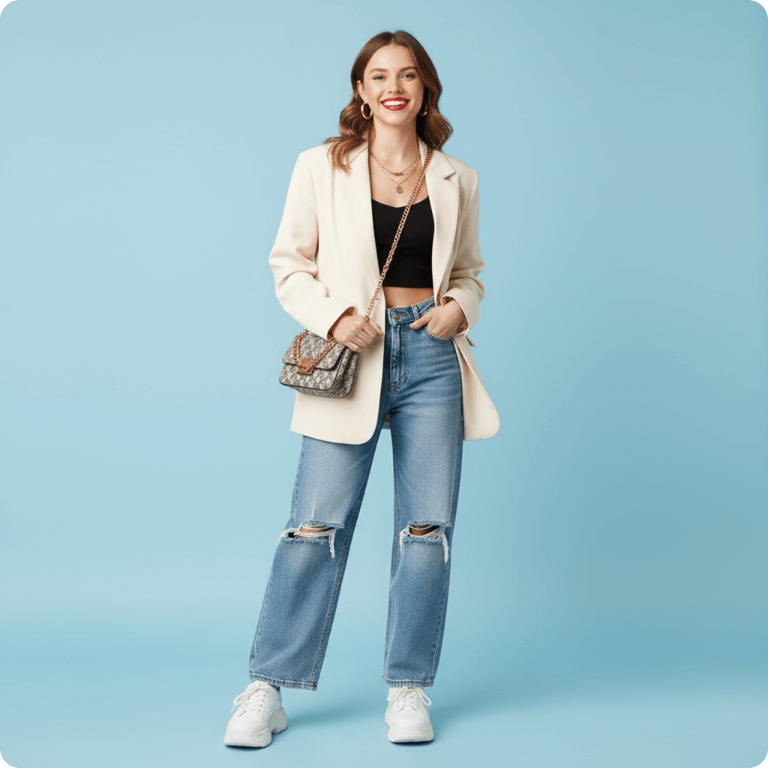
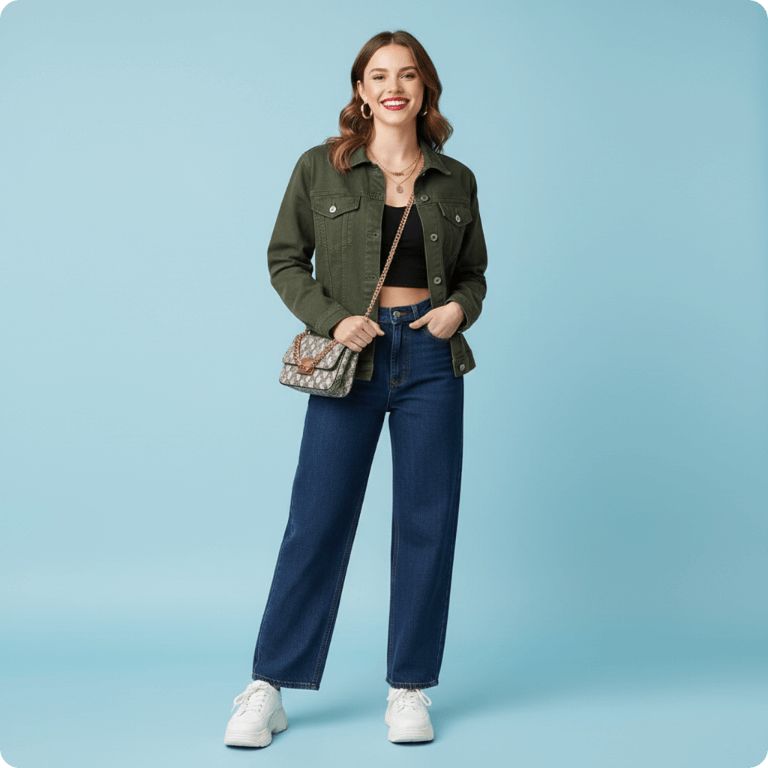
See How It Works
  • ✓ Online tool
  • ✓ No signup to start
  • ✓ JPG, JPEG, PNG or WebP
Adult portrait before a virtual outfit change
Before
Virtual casual outfit concept generated on an authorized adult portrait
AI concept
Select clothing · describe the look

Drag Your Photo Here

Upload your own authorized adult portrait and describe one appropriate outfit.

Sample adult portrait ready for a virtual outfit edit
Drag your photo hereor choose JPG, JPEG, PNG or WebP · up to 20 MBChoose Image

Choose an image, enter a prompt and confirm permission.

Appropriate, consensual edits only. Review the Privacy Policy.

Explore without changing clothes

Preview a New Outfit Direction

It can be difficult to imagine how a different silhouette, color, material or style direction might look in a portrait. PxBee lets you create a virtual outfit concept from a written description.

Select the current clothing and request a blazer, dress, hoodie, jacket, travel outfit, event look or another appropriate style.
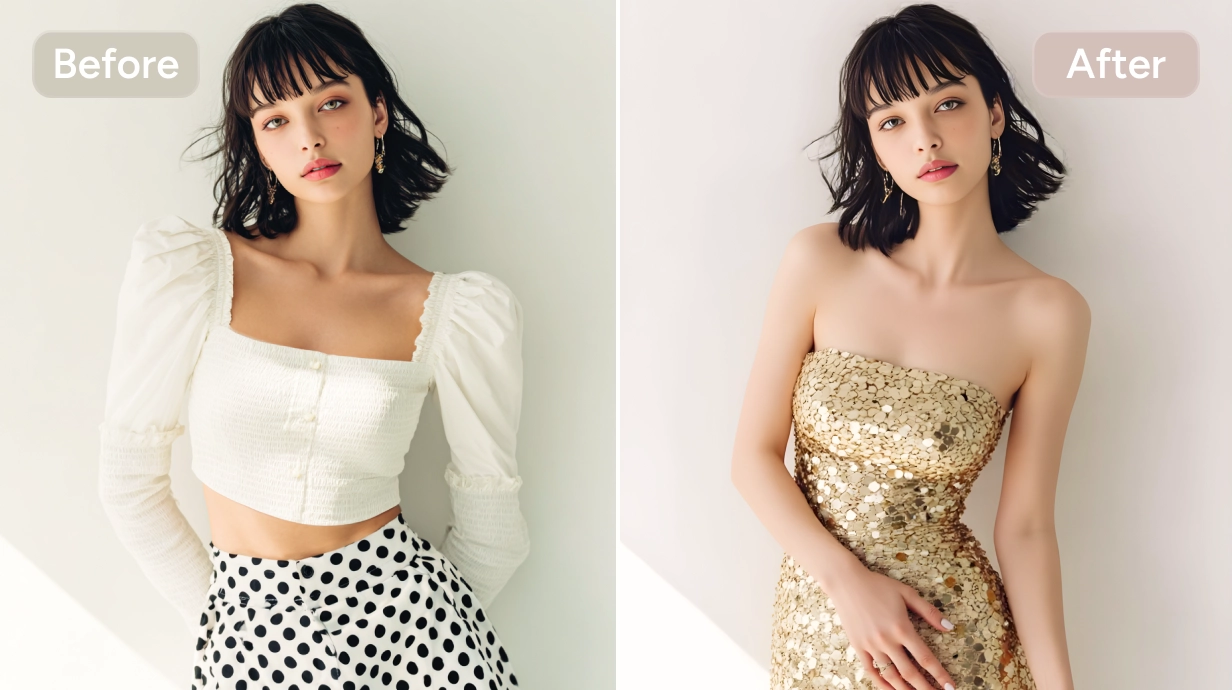
Important: The result is generated by AI. It does not confirm real-world size, fit, comfort, fabric quality or product availability.
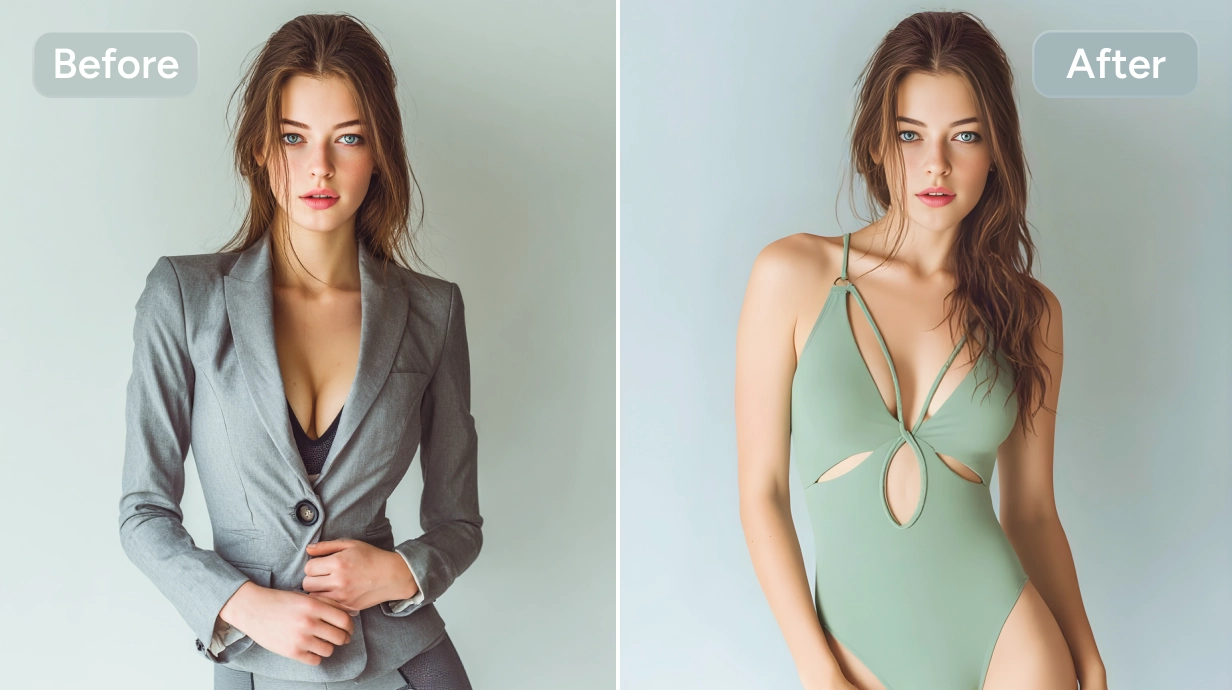
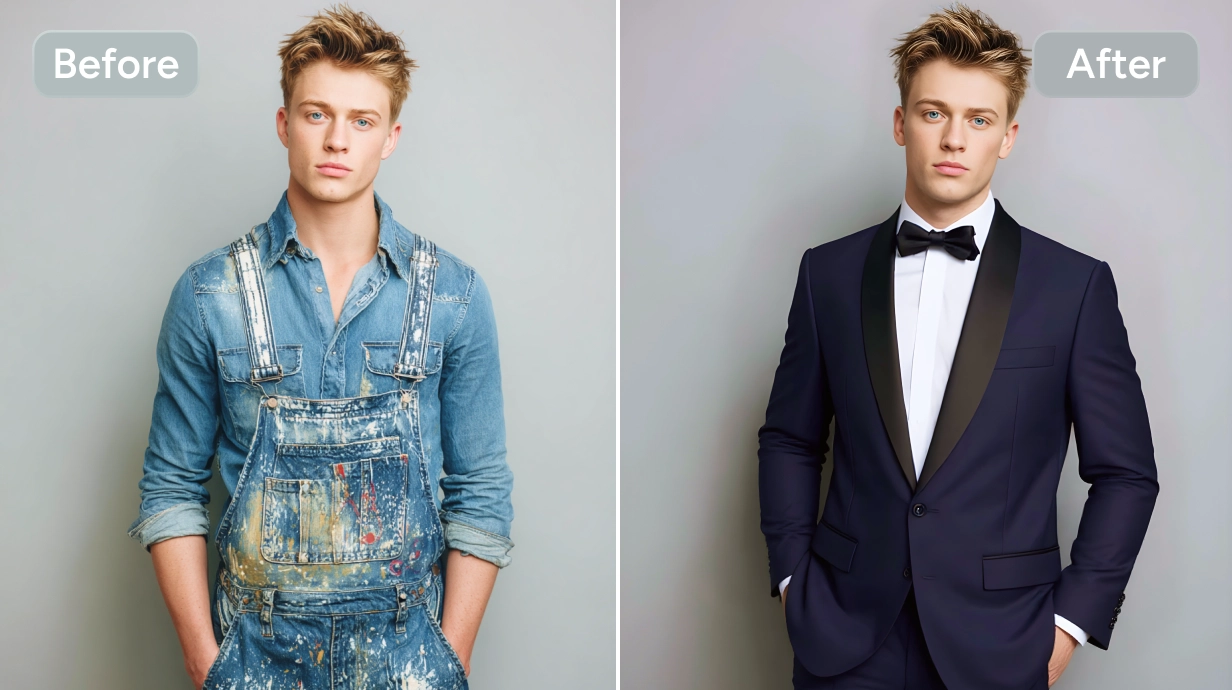
Formal outfit preview created with AI Clothes Changer
Virtual concepts help compare visual directions before real-world decisions.
From everyday to editorial

Outfit Styles You Can Preview

Casual outfits

Try relaxed shirts, hoodies, knitwear, jeans, light jackets and everyday layered looks.

Professional clothing

Preview a blazer, tailored suit, business-casual shirt, structured dress or conference-ready outfit.

Formal looks

Explore evening dresses, tuxedo-inspired looks, formal suits, elegant jackets and celebration outfits.

Seasonal clothing

Generate ideas for warm-weather linen, fall layers, winter outerwear or spring colors.

Streetwear

Try oversized hoodies, bomber jackets, cargo-inspired looks, graphic layers or minimalist urban styles.

Creative fashion

Explore fictional, editorial, futuristic, vintage-inspired or costume concepts for clearly creative projects.
Copy, customize and keep it focused

AI Clothes Changer Prompts You Can Copy

Prompts should remain appropriate, consensual and suitable for the visible adult.

Professional suit

Tailored navy business suit, white dress shirt, subtle wool texture, clean professional fit, natural folds and shadows.

Business-casual outfit

Light beige blazer over a pale blue shirt, tailored dark trousers, modern business-casual style, realistic fabric texture.

Casual streetwear

Oversized charcoal hoodie, heavy cotton texture, relaxed fit, minimal design, natural folds and soft shadows.

Summer outfit

Lightweight white linen shirt with rolled sleeves, relaxed tan trousers, breathable summer styling, natural daylight.

Formal dress

Elegant floor-length emerald green evening dress, modest neckline, flowing fabric, subtle satin finish, realistic folds.

Denim jacket

Classic medium-blue denim jacket, visible seam details, silver buttons, slightly relaxed fit, realistic texture.

Fall layers

Warm camel wool coat over a cream ribbed sweater, tailored silhouette, soft autumn styling.

Creative editorial outfit

Futuristic silver structured jacket, matte metallic fabric, clean geometric panels, high-fashion editorial styling.

Six practical steps

How to Change an Outfit With AI

  1. 01

    Upload your own portrait

    Choose a clear JPG, JPEG, PNG or WebP image containing one clearly visible adult.

  2. 02

    Select the current clothing

    Brush over the complete garment and use a smaller brush near hands, hair, skin, jewelry and accessories.

  3. 03

    Describe the new look

    Include the clothing type, color, material, shape, length, layers and occasion.

  4. 04

    Generate the outfit

    Select Generate and let PxBee create the replacement clothing.

  5. 05

    Check the details

    Inspect hands, body boundaries, folds, buttons, pockets, text, patterns, logos and shadows.

  6. 06

    Download or compare

    Save the strongest concept or refine the prompt to try another style.
Clear inputs and careful review

How to Get a Better Outfit Preview

  • Use a well-lit photo. Heavy shadows and colored lighting can affect garment color and texture.
  • Keep the body visible. Crossed arms, hands in pockets, bags, long hair or large accessories can obscure clothing.
  • Select carefully. Include the entire garment while avoiding unnecessary skin and background.
  • Describe one main outfit. A focused prompt gives the AI a clearer target.
  • Match the pose. Structured clothing is easier to visualize on an upright pose than a heavily twisted body.
  • Compare results. The same prompt can produce different interpretations.
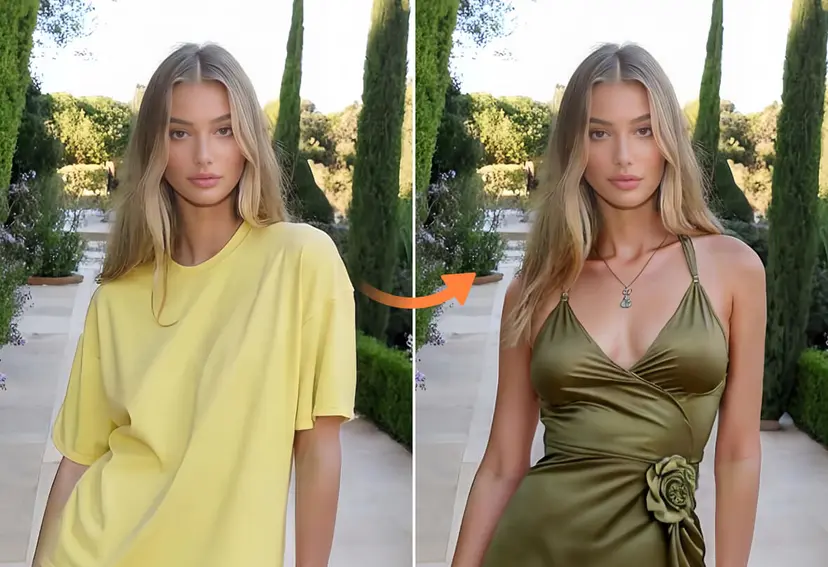
Dress style changed on an authorized adult portrait
Review garment boundaries, fabric, hands, shadows and accessories.
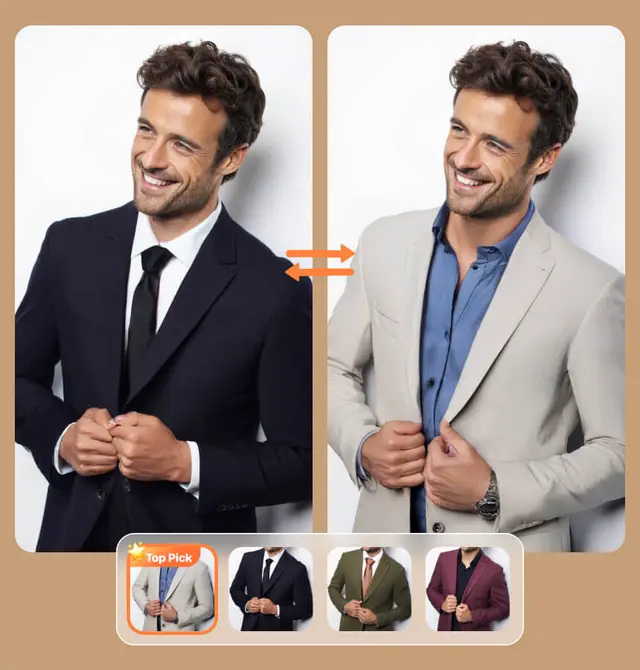
Multiple virtual menswear concepts illustrating style rather than size prediction
Visualization is not sizing

Outfit Visualization Is Not Size Prediction

PxBee can generate an image showing a possible outfit style. It cannot determine correct size, physical comfort, tightness, fabric stretch, accurate measurements, brand sizing, mobility, exact drape, construction quality or how a garment feels.

Before buying a real item, review the retailer’s size chart, garment measurements, fabric details, customer reviews and return policy.

Consent and dignity come first

Use Clothes Changer AI Responsibly

Only edit your own portrait, a photo whose adult subject gave permission, and an image you have the right to modify. Keep edits appropriate and non-deceptive.

Never use this tool for simulated undressing, nudification, non-consensual intimate imagery, sexualized edits, images of minors, harassment, humiliation, impersonation, fraud, deceptive profiles or misleading product representations.

Permission confirmedAuthorized adult portraits only
Inspiration with human verification

Use Cases for Virtual Outfit Concepts

Personal style exploration

Compare silhouettes, colors and outfit directions before planning a real look.

Event preparation

Preview an appropriate visual concept for a wedding, party, business event, dinner or conference.

Travel planning

Explore combinations for a destination or climate, then check actual weather before packing.

Content creation

Create disclosed fictional or editorial styling for an image you own or may edit.

Fashion ideation

Use concepts as early inspiration and confirm patterns, construction, materials and measurements.

E-commerce drafts

Develop internal mockups, but never present generated clothing as an exact product without verification.

Before changing an outfit

Clothes Changer AI FAQs

It is a virtual outfit visualization tool that replaces selected clothing in an authorized portrait from a written prompt. The output is a generated concept, not a real fitting.

Confirm you may edit the photo, upload a clear adult portrait, select the complete garment, describe one outfit, generate, and inspect boundaries and details before saving.

PxBee currently presents this workflow as free. Check the live editor for current generation limits, credits, exports or paid options.

This page lets you select an image without signup. Any later account requirement is controlled by the live editor.

The uploader accepts JPG, JPEG, PNG and WebP files up to 20 MB.

No. A generated image cannot determine size, measurements, comfort, tightness, stretch, mobility or brand-specific sizing.

No. It is a visual style concept. Real drape, construction, material, fit and comfort can differ.

Use a well-lit, front-facing or gently angled adult portrait with the body and current outfit clearly visible.

Hands, bags, hair and accessories can hide garment boundaries and make a clean selection more difficult.

Describe one outfit and include garment type, color, material, silhouette, length, layers, occasion, light and finish.

For a color-only edit that preserves the garment shape, use the AI Color Replacer instead.

Only if the person gave permission and you have the right to edit the image. Do not create deceptive or humiliating edits.

No. This workflow is designed for authorized photos of adults and should not be used to edit images of minors.

No. Nudification, simulated undressing, sexualized edits and non-consensual intimate imagery are prohibited.

Generative AI can create inconsistent anatomy, seams, patterns, logos, reflections and shadows. Regenerate or revise the mask and prompt.

Exact logos, labels, patterns, construction and product details are not reliable. Add approved brand assets later and verify every product claim.

Use it for inspiration only. Review the retailer size chart, garment measurements, material details, reviews and return policy before purchasing.

That depends on your source-image rights, consent, PxBee terms and the accuracy of the output. Review current terms before commercial use.

Yes when the synthetic edit could affect authenticity, product understanding, identity or audience trust.

Review the current Privacy Policy for image processing, retention, deletion and security information before uploading private material.
Preview a new outfit direction

Explore Another Outfit on Your Portrait

Upload your own portrait, select the clothing and describe the appropriate style you want to explore.

JPG, JPEG, PNG and WebP supported
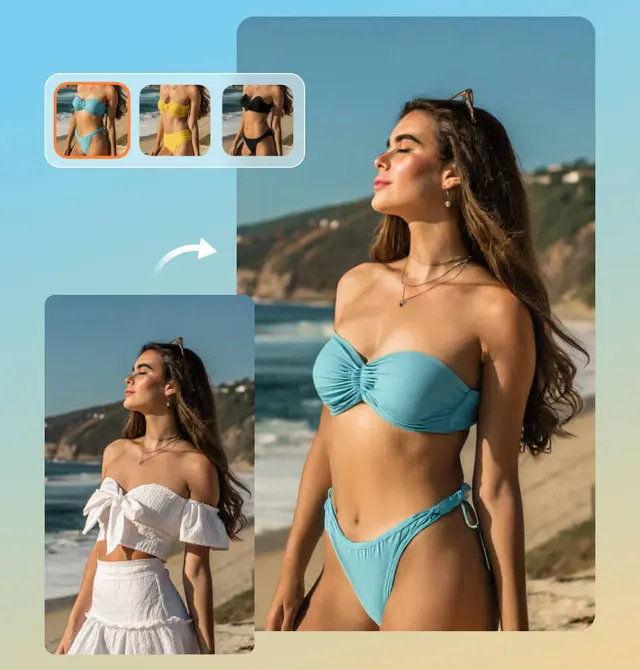
Virtual beachwear concept generated on an authorized adult portrait